
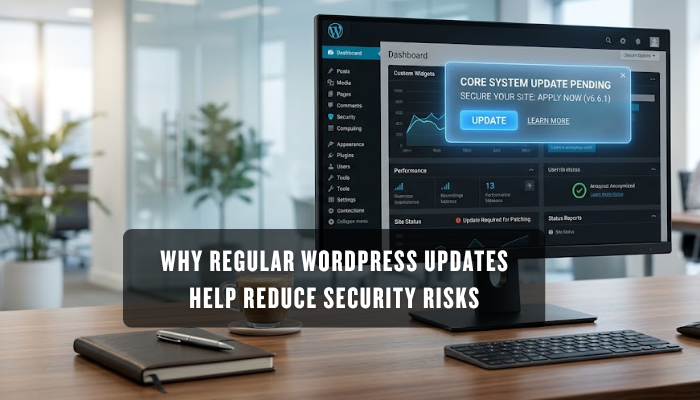

If your WordPress site is running on plugins you haven’t touched in months, hackers don’t need much to get in. One outdated file is enough.
And yet, most site owners log in, post content, check analytics, and move on, never stopping to question what’s running underneath. Outdated software builds up risk little by little, and by the time something breaks, fixing the damage takes far longer than any update would have.
WP Guard works with site owners who want to catch these gaps early. Across every industry we’ve supported, the story tends to be the same: small oversights compound into costly ones.
This guide covers what updates actually fix, what skipping them costs, and how to keep your site protected going forward. Without further ado, let’s start with the basics.
WordPress Updates and Website Security: What Changes?
WordPress updates patch specific weaknesses in the core system. Each release addresses user permission settings, login authentication protocols, and how your site grants backend access to different accounts. None of these show on the front end, but they directly determine who gets in and who doesn’t.
As authentication methods age, their weaknesses become more widely known and easier to exploit. Core updates replace them with stronger standards, which makes it significantly harder to gain access through your login page (the gap between a safe site and a compromised one is often just one missed update).
Your plugins and themes build directly on that foundation. And when they start falling behind, the risks don’t stay small for long.
What Happens to Your Site When You Skip Plugin Updates?
Sometimes it’s not a major attack but one outdated plugin that opens the door to malware or a broken site. Plugins interact directly with your site’s functions, so when they slip behind schedule, the effects surface fast and in places you wouldn’t expect.

Two areas take the hardest hit: bug-related technical issues and site speed. Take a look at them.
Bug Fixes That Keep Technical Issues From Coming Back
Ever had your site throw an error you didn’t cause? That’s usually an unpatched bug waiting to get worse. Developers release fixes the moment they spot flaws in their code, and every day you skip an update, those flaws keep running on your site.
Bugs don’t stay isolated either. A minor glitch in one plugin can trigger conflicts with another and produce technical issues that are genuinely hard to trace. From what we’ve seen at WP Guard, nine times out of ten the root cause turns out to be an update someone postponed weeks ago. Regular fixes cut that chain early.
Outdated Plugins and Themes: The Hidden Cost to Site Speed
When you run outdated plugins and themes, your site loads slower, ranks lower, and breaks more often. Older code simply doesn’t account for how browsers and servers operate today.
Load times take the biggest hit. A site that takes more than three seconds to load loses 53% of potential customers before they even see your content. Slower load times also pull your search engine rankings down, which shrinks the number of people finding your site organically.
Theme updates follow the same logic. Outdated themes often contain deprecated code that produces broken links and display errors across your pages. Once your plugins and themes are current, that friction disappears.
The next layer of protection your site needs is active security running around the clock.
Malware Scanning and Security Plugins: How Do They Work Together?
Both malware scanning and security plugins serve different roles, and your site genuinely needs what each one brings. Most people just install one of them, assume they’re covered, and never think twice about it. That’s a common ground for problems to start.
Take a look at what each layer of protection covers:
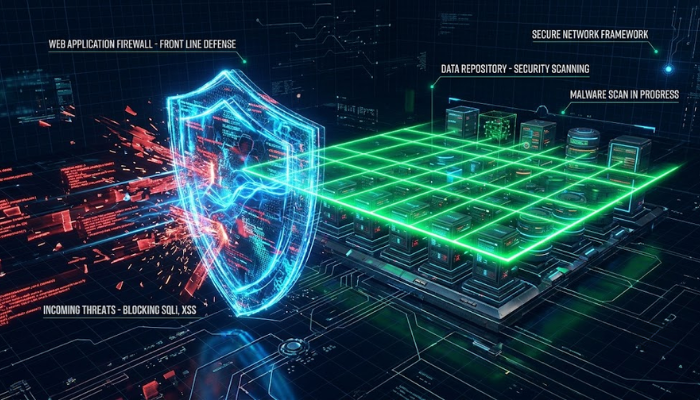
- Security Plugins: A web application firewall filters every request hitting your site. It stops SQL injection attacks (database manipulation attempts) and DDoS attacks (traffic floods that crash servers) before they reach your server. Suspicious activity activates immediate alerts.
- Malware Scanning: Injected scripts rarely show up where you’d think to look. Malware scanning checks folders and file locations manual reviews almost never reach and surface threats that would otherwise go unnoticed for weeks.
- Real-Time Monitoring: Running both malware scanning and a security plugin together tracks file changes across your site as they happen. This gives you a clear record of anything that shifts without your input.
- Backup Verification: Regular backups mean nothing if the files are corrupted. Security tools like UpdraftPlus and BlogVault verify that your backup data is clean and restorable before you ever need it.
Sites we’ve monitored that run both tools consistently identify security threats weeks earlier than those depending on one layer alone (one layer simply can’t cover what the other misses).
Getting someone to manage that combination consistently is exactly what WordPress maintenance services are built for.
WordPress Maintenance Services for Small Business Sites: An Honest Look
Not every small business needs a developer on call, but every site does need someone checking in regularly. Skipping that step doesn’t save money. It just delays the bill until something breaks at the worst possible time.
Here’s what separates a maintained site from one that’s always one update away from breaking:
Maintenance Packages That Cover What Your Site Needs
A good maintenance package bundles everything your site needs under a simple plan. The table below shows what basic, standard, and full packages typically cover:
| Feature | Basic | Standard | Full |
| Plugin & Theme Updates | ✓ | ✓ | ✓ |
| Security Scans | ✗ | ✓ | ✓ |
| Uptime Monitoring | ✗ | ✓ | ✓ |
| Malware Removal | ✗ | ✗ | ✓ |
| Hosting Services | ✗ | ✗ | ✓ |
| Priority Support | ✗ | ✗ | ✓ |
A basic package is a solid stepping stone for sites just getting started. From there, standard packages bring in security scans and uptime monitoring for sites handling steady traffic.
Full packages take it further. They cover malware removal, hosting services, and priority support for sites where any downtime directly costs the business money.
How Maintenance Services Help Small Businesses Avoid Costly Downtime
Regular maintenance catches a broken plugin or failed update before it pulls your entire site offline.
We’ve had small business clients reach out after their site sat broken for three days because one outdated plugin conflicted with a theme update nobody caught. That’s three days of lost revenue, missed inquiries, and potential customers landing on a broken page. In the long run, a monthly plan costs a fraction of what a single business day of downtime costs.
Updates also play a direct role in protecting the data your visitors submit through your site, and that side of things is just as serious.
New Features and How Updates Help Encrypt Data on Your Site
Any site collecting contact form submissions, account credentials, or payment details depends on encryption to keep that data secure. Each WordPress update strengthens those encryption standards and reduces the window where visitor data can be intercepted.
When someone submits information through your site, encryption scrambles it instantly. Even if someone intercepts it in transit, what they get back is unreadable (not exactly the jackpot they’re hoping for). Outdated encryption protocols leave readable gaps in that process, and every form submission, login, and transaction becomes more exposed.
Beyond data in transit, recent WordPress releases have introduced tighter controls over how third-party plugins access user information on your server. That change hits differently for sites running multiple tools, where third-party access has historically been easy to overlook. Newer authentication tools now handle that directly.
New pages and checkout flows you add to your site inherit these protections automatically. So as your site grows, each addition stays secure without extra steps on your end.
Your WordPress Site Deserves Better
Now that you know how updates, plugins, and maintenance services work together, the next step is putting it all in place. To be honest, skipping any one of these isn’t a minor oversight. Each layer depends on the others, and a crack in one puts everything else at risk.
Regular updates, plugin maintenance, and security scans form the backbone of a protected site. But knowing that and acting on it are two different things. Site owners who stay protected act before a problem surfaces, rather than after it forces a costly repair.
WP Guard‘s maintenance packages handle updates, scans, and backups so you don’t have to. Stop leaving your site exposed to risks an easy update could fix today.
Contact our team to get started.